
How to delete your Trackent account
You can permanently delete your Trackent account from within the mobile app. Follow the steps below. Account deletion cannot be undone — all related rental records will be removed from our system.
- 1
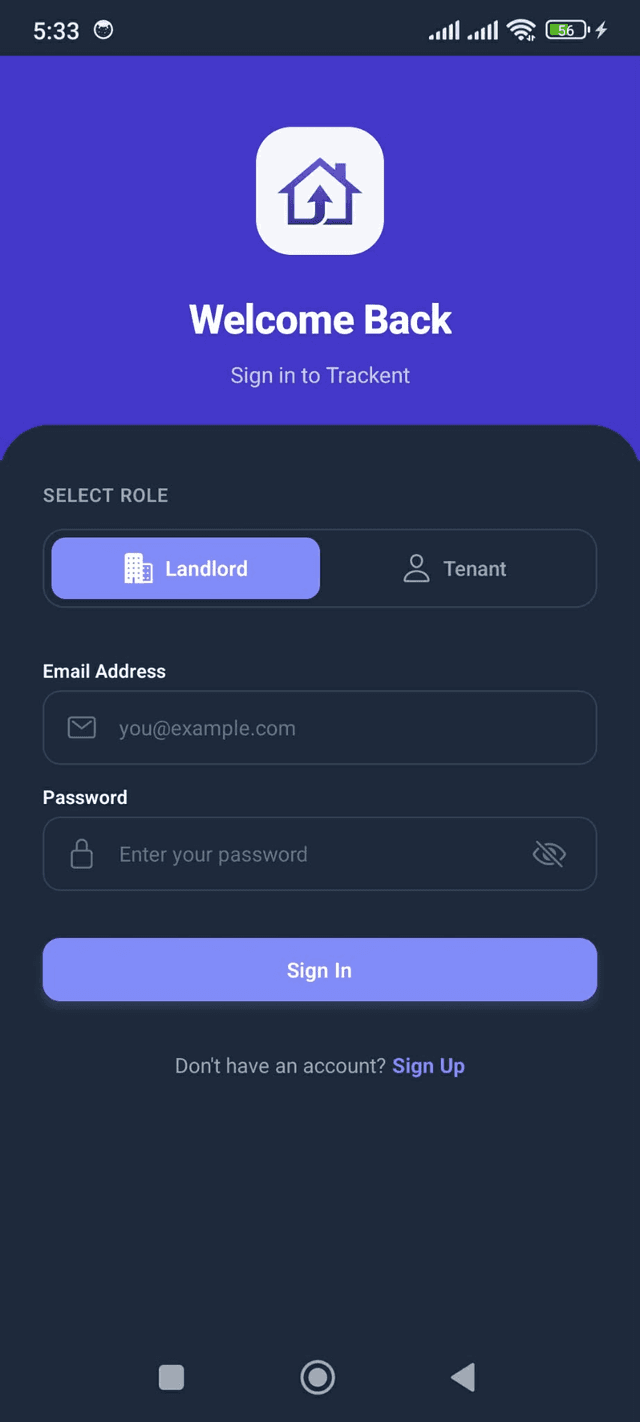
Log in to your Trackent account
Open the Trackent app and sign in as a Landlord or Tenant using your email and password.
- 2
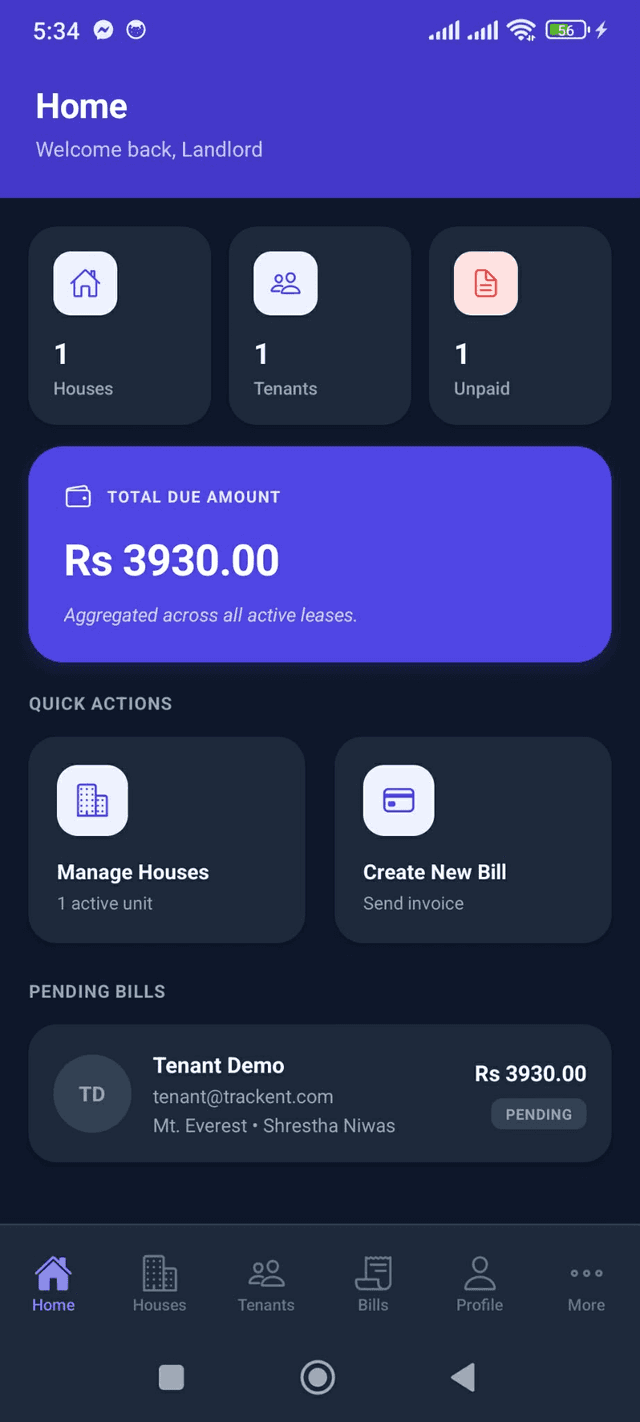
Open your dashboard
After signing in, you will land on your role-specific dashboard with your properties, bills, or room details.
- 3
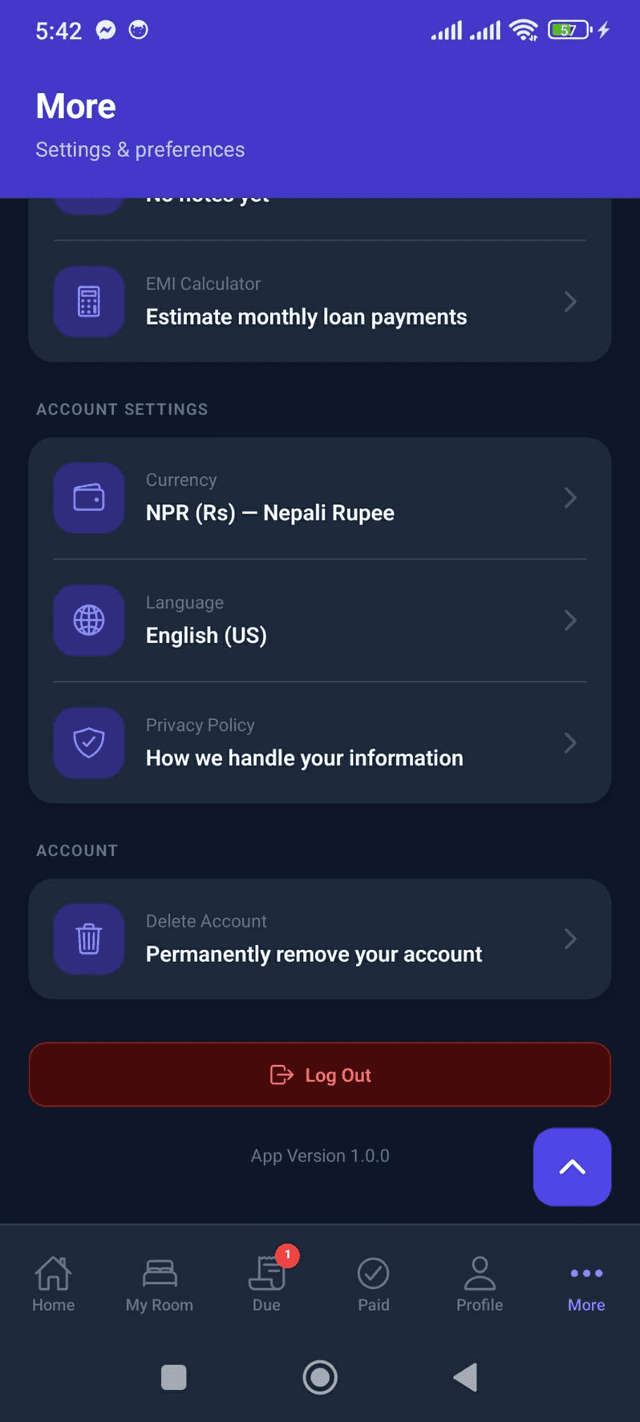
Go to the More tab and tap "Delete Account"
Open the More tab at the bottom of the screen. Scroll to the Account section and tap "Delete Account".
- 4
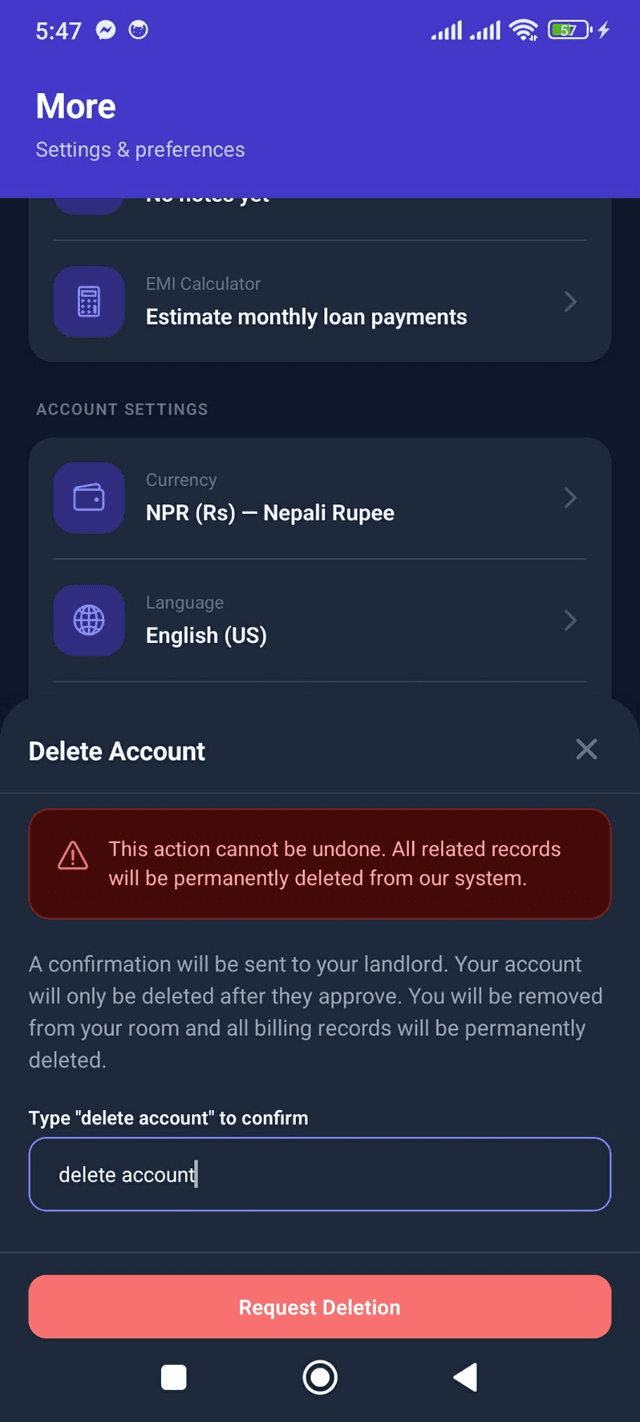
Type "delete account" to confirm
Read the warning carefully. Type "delete account" in the confirmation field, then tap "Delete Account" or "Request Deletion".
Unlinked account — immediate deletion
If you have no linked landlord or tenants, your account is deleted immediately when you confirm. For landlords, all houses, rooms, bills, and tenant links are permanently removed. For tenants, all billing records are permanently deleted.
Linked account — approval required
If you are a landlord with linked tenants, a confirmation is sent to every linked tenant. Your account is only deleted after all tenants approve.
If you are a tenant linked to a landlord, a confirmation is sent to your landlord. Your account is only deleted after they approve. You will be removed from your room and all billing records will be deleted.
While a request is pending, you will see the status on your home dashboard. You cannot submit a second deletion request until the current one is resolved.
This action cannot be undone
Once your account is deleted, all related records are permanently removed from our system. A minimal archive (email, name, role, and phone if provided) may be retained for compliance purposes as described in our Privacy Policy.
Need help?
If you are unable to delete your account through the app, contact us at trackentapp@gmail.com with the email address associated with your account.